
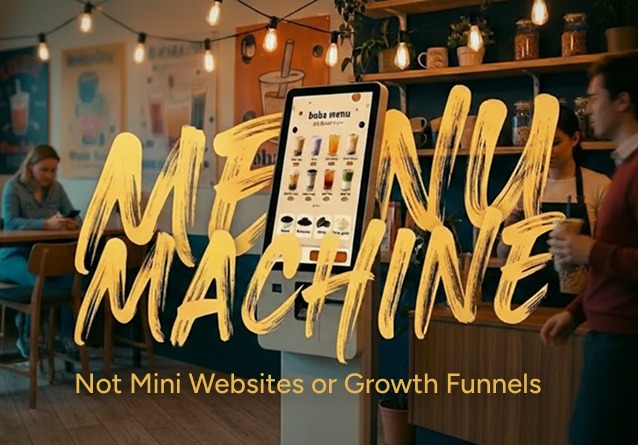
A deep dive into the operational, behavioral, and cultural realities behind restaurant kiosks, written from the perspective of someone who builds them.


Introduction: A computer in the corner, a line at the counter

If you spend enough time in small restaurants, bakeries, cafés, fast-casual spots, places where staff do five jobs at once, you start to see a pattern.

There’s often a bright touchscreen kiosk mounted somewhere near the entrance. It’s meant to reduce line pressure, increase throughput, and let customers order at their own pace.

But when it doesn’t work, you’ll also see something else:

A handwritten paper sign taped over the screen:
“Not working today.”

For customers, it’s mildly annoying.
For the staff, it’s stressful.
For owners, it’s operational failure baked into daily life.

This essay is about why that happens, and why kiosks succeed or fail in ways that have less to do with “UI polish” and more to do with throughput, reliability, cultural assumptions, and the invisible choreography between product, staff, and customers.

These insights come from spending years designing restaurant tech; not in theory, but by watching how people behave when they’re hungry, impatient, and standing in front of a glowing screen that’s supposed to make their lives easier.

And the core lesson I keep returning to is simple:

A kiosk is a menu machine first.
Everything else: loyalty, upsell, funnels, is secondary.


1. The Myth of “One Kiosk = One Fewer Employee”

A lot of restaurant owners buy kiosks with a mental model that goes something like:

“If I buy two kiosks, I can eliminate one cashier.”

It’s a tempting equation, especially in a labor-constrained industry where staff are expensive, training takes effort, and turnover is high.

The problem?
That equation almost never holds immediately, and sometimes it never holds at all.

Labor doesn’t disappear. It moves.

In real-world operations, a kiosk shifts labor toward:

  • guiding confused customers
  • fixing menu mistakes
  • rebooting frozen screens
  • helping when payment doesn’t work
  • explaining loyalty redemptions
  • correcting wrong customizations
  • managing pickup confusion

In other words:

Kiosks don’t reduce labor 1:1.
They redistribute labor, often to people who are already overloaded.

A simple “labor equation” most shops don’t consider

Before kiosks:
1 cashier = X orders/hour + Y% error.

After kiosks:
**0.3 FTE = kiosk support
0.7 FTE = redeployed cashier

  • maintenance overhead + downtime risk.**

Even when kiosks do improve efficiency, it’s rarely a clean subtraction.


2. Why Big Chains Thrive With Kiosks, and Why Small Shops Struggle

Large chains (McDonald’s, Panera, Wendy’s pilots) have shown real uplift from kiosks:

  • Higher average check size (10–30% in some reported cases) [TouchBistro, 2024]
  • Reduced wait times [NovaTab, 2025]
  • Better order accuracy
  • Throughput gains
  • Younger customers preferring self-ordering (66%+, depending on study) [Restroworks, 2025]

But those results rely on conditions most independent shops don’t have:

Ideal Kiosk Conditions (Large Chains)

  • standardized menus
  • robust connectivity
  • multiple staff monitors & floaters
  • operational best practices
  • strong training systems
  • clear foot traffic patterns
  • robust POS integration
  • quick maintenance support

Small-Shop Reality

  • unstable internet
  • rapidly changing menus
  • staff doing hybrid roles
  • inconsistent training
  • limited physical space
  • noisy, chaotic environment
  • no IT support
  • fragile integrations

So you get two very different outcomes:

In big chains, kiosks scale.
In small shops, kiosks break.

Not because the kiosk is inherently flawed, but because the surrounding environment is.

(This is why your kiosks must be designed for reality, not demo videos.)


3. Kiosk Users ≠ App Users

(Design constraints you can’t ignore.)

A kiosk customer is not curled up on a couch, scrolling on a phone.
They are:

  • standing
  • hungry
  • often in a small space
  • sometimes socially anxious
  • sometimes impatient
  • aware of the people waiting behind them
  • under mild (or intense) time pressure

This has design implications:

Design Constraint #1: Time-to-first-tap

A kiosk should allow a meaningful action within 2 seconds.

Constraint #2: Order completion time

A typical flow should finish in 60–90 seconds maximum for most tickets.
Every extra modal is a tax on the line forming behind the user.

Constraint #3: Bigger targets, fewer paths

Standing UX means:

  • large touch targets
  • linear flows
  • shallow branches
  • a clear “I changed my mind” escape hatch
  • cart visibility at all times

Constraint #4: Social pressure is real

A kiosk is not a private space.
You’re designing for:

  • the person using it
  • AND the people staring at them from behind

This is why intrusive loyalty pop-ups, dense category layouts, or excessive decision points can break the entire experience.

Every extra screen adds friction that customers feel physically.


4. When KPIs Hijack the Experience

(Floor KPIs vs. Ceiling KPIs)

One of the most painful kiosk patterns I see is when loyalty sign-ups or CRM goals override the ordering experience.

For example:

A customer taps the first category and sees “Redeem with points.”
They tap what looks like normal food.
The kiosk says: “Not enough points.”
They try again.
Still “Not enough points.”
They walk away.

This happens because growth KPIs take over the main flow.

A framework: Floor vs. Ceiling KPIs

Floor KPIs (critical path metrics):

  • throughput
  • order completion rate
  • error-free orders
  • abandonment
  • uptime
  • task success without staff help

Ceiling KPIs (growth metrics):

  • upsell
  • loyalty sign-ups
  • AOV
  • email capture
  • personalization

And the rule is simple:

If a ceiling KPI hurts a floor KPI, it must be redesigned or removed.

This is why in high-volume shops, “more banners” is not a strategy, it’s a liability.


5. Flow vs. Loyalty: The Practical Weighting

In real kiosk environments, the weighting looks like this:

80–90% → ordering flow
10–20% → loyalty (light, integrated, optional)

Why flow must dominate

Studies show that kiosk users care about:

  • speed
  • shorter lines
  • convenience
  • accuracy
  • clear customization options

If these go wrong, kiosk usage plummets.
Research on self-service adoption shows satisfaction and reuse intention rise sharply (sometimes 50%+) when ordering feels effortless [Rastegar et al., 2021].

How to design loyalty without breaking flow

Entry Point: a small “Sign in or Scan” tile next to “Start Order.”
Never block the primary path.

During Ordering: passive benefits for identified users (points, personalized suggestions).
No pop-ups for unknown users.

Checkout: a single lightweight prompt:
“Add your phone/email to earn points?”
with a clean “Skip.”

Where to invest product/design energy

Flow (majority focus):

  • category hierarchy
  • customization patterns
  • performance & responsiveness
  • error states
  • accessibility
  • payment speed
  • POS sync integrity

Loyalty (minority focus):

  • extremely fast sign-in
  • visible value (points, history)
  • contextual, non-blocking rewards

Because if loyalty slows ordering, it stops being loyalty.
It becomes friction.


6. Post-Payment UX: The Forgotten Half of the Journey

(The “choreography” most kiosks ignore.)

Most Figma files stop at the “Payment Successful” screen.

But in real restaurants, confusion often begins after that.

Common failure modes I’ve personally observed:

  • “Your number is #47” flashes for one second and disappears
  • staff call out numbers but customers don’t know which number belongs to them
  • number boards are too small or too far away
  • receipts are unclear or don’t match the screen
  • customers hover awkwardly, not sure where to stand
  • orders get remade because someone didn’t realize theirs was ready

This is why kiosk UX is not just UI.

It’s the choreography between screen, space, staff, and sound.

Post-Payment UX Checklist

  1. Where do I stand?
  2. How will I know my order is ready?
  3. What reference is used (name, number, text)?
  4. Is there an obvious place to watch?
  5. What happens if something goes wrong?

This is where many kiosks fail, not at the UI, but at the operational handoff.


7. Reliability Is UX

(If it doesn’t work on a bad day, it doesn’t work.)

A kiosk that only functions with perfect internet and perfect conditions is not reliable.
It’s decorative.

Reliability principles:

  • Offline mode: At minimum, show the menu even if payment/downstream systems fail
  • Graceful degradation: Let people browse even if ordering is down
  • Clear error states: No generic “Payment error.” Tell users what to do next
  • Staff visibility: A clear dashboard showing which kiosk is down before customers tell them
  • Fast recovery: Reboots shouldn’t require unplugging cables during rush hour

Reliability is not just engineering.

Reliability is a user experience.
Trust is part of the interface.


8. A Cross-Cultural Product Gap (Patterns, Not Stereotypes)

When a product is designed in one cultural context and used in another, misalignment happens.

Pattern #1: High-context digital cultures

Users accustomed to dense, information-rich apps learn interfaces fast.
They are comfortable scanning visually and interpreting complexity.

Pattern #2: Low-context physical cultures

Users expect:

  • explicit affordances
  • linear flows
  • clear labels
  • obvious primary actions
  • minimal cognitive load

When a kiosk designed for high-context interaction lands in a low-context environment, customers struggle.

This affects:

  • the prominence of “Start Order”
  • density of promotions
  • how loyalty is positioned
  • error messaging
  • customization flows

It’s not that one culture is “smarter” than another, they optimize for different contexts.

Good kiosk UX acknowledges this and designs for clarity across diverse users.


9. The Prioritization Ladder (How to Build a Kiosk That Works)

A simple prioritization model for kiosk teams:

Step 1: Make it obvious what this thing is

  • Placement
  • Signage
  • “Order Here” affordance
  • First-tap clarity

Step 2: Make ordering fast and forgiving

  • Categories
  • Customization
  • Undo
  • Cart visibility
  • Payment performance

Step 3: Make it operationally trustworthy

  • Reliability
  • POS sync
  • Staff tools
  • Clear error pathways

Step 4: THEN add growth

  • Upsell
  • Loyalty
  • Experiments
  • Personalization

Never build Step 4 before Step 1–3 are solid.


10. Metrics That Actually Matter

A kiosk is successful when it drives operational outcomes, not just visual delight.

1. Throughput & Speed

  • start → finish time
  • queue length impact
  • time saved vs. cashier

2. Task Completion & Error Rate

  • % completed without staff help
  • % completed with correct items
  • abandonment rate

3. Conversion & Revenue

  • kiosk share of total orders
  • average check vs. counter
  • upsell attachment

4. Satisfaction & Repeat Use

  • CSAT/NPS
  • repeat kiosk usage → strongest predictor of long-term success

5. Loyalty Engagement (Non-Destructive)

  • identified member share
  • sign-ups per 100 orders
  • redemption within flow

These metrics keep the product honest.


11. A Simple Diagnostic Test

Three questions restaurant owners (or product teams) can run:

  1. Stand two meters away. Can a first-time guest tell where to tap?
  2. Watch five customers. Do more than one need staff help?
  3. Follow 100 orders. How many fail after payment?

If the kiosk passes these three tests, everything else becomes easier.

If it fails them, no amount of banners, CRM prompts, or personalization will save it.


Conclusion

The kiosk is not a growth hack.
It’s not a mini app.
It’s not a billboard.

A kiosk is a menu machine that’s supposed to reduce friction, not create new kinds of friction.

When we design for real environments, real customers, and real operational constraints, kiosks become stabilizing tools for small restaurants. When we design for KPIs alone, they become expensive, stressful boxes that staff must apologize for.

The difference depends on where you focus:
the flow, the reliability, and the choreography.

Everything else is optional.


References

[1] Restroworks. “Self-Ordering Kiosk Restaurant Statistics 2025.” 2025.
[2] TouchBistro. “Why Self-Ordering Kiosks Are Becoming the Secret Weapon for Restaurants.” 2024.
[3] NovaTab. “Kiosks Reduce Wait Times by Up to 40%.” 2025.
[4] Rastegar, Flaherty, Liang, Choi. “The Adoption of Self-Service Kiosks in QSR.” European Journal of Tourism Research, 2021.
[5] Deliverect. “Why Self-Ordering Kiosks Are the Future of Restaurants.” 2024.
[6] ResearchGate. “Self-Service Kiosk Adoption 2021 Study.”
[7] Restaurant Technology News. “Scaling Smarter with Self-Service Kiosks.” 2025.